Enter password to view case study
CHASE REWARDS
2024-25
Redesigning internal tools, increasing efficiency for engineers to track and input APIs by 30%
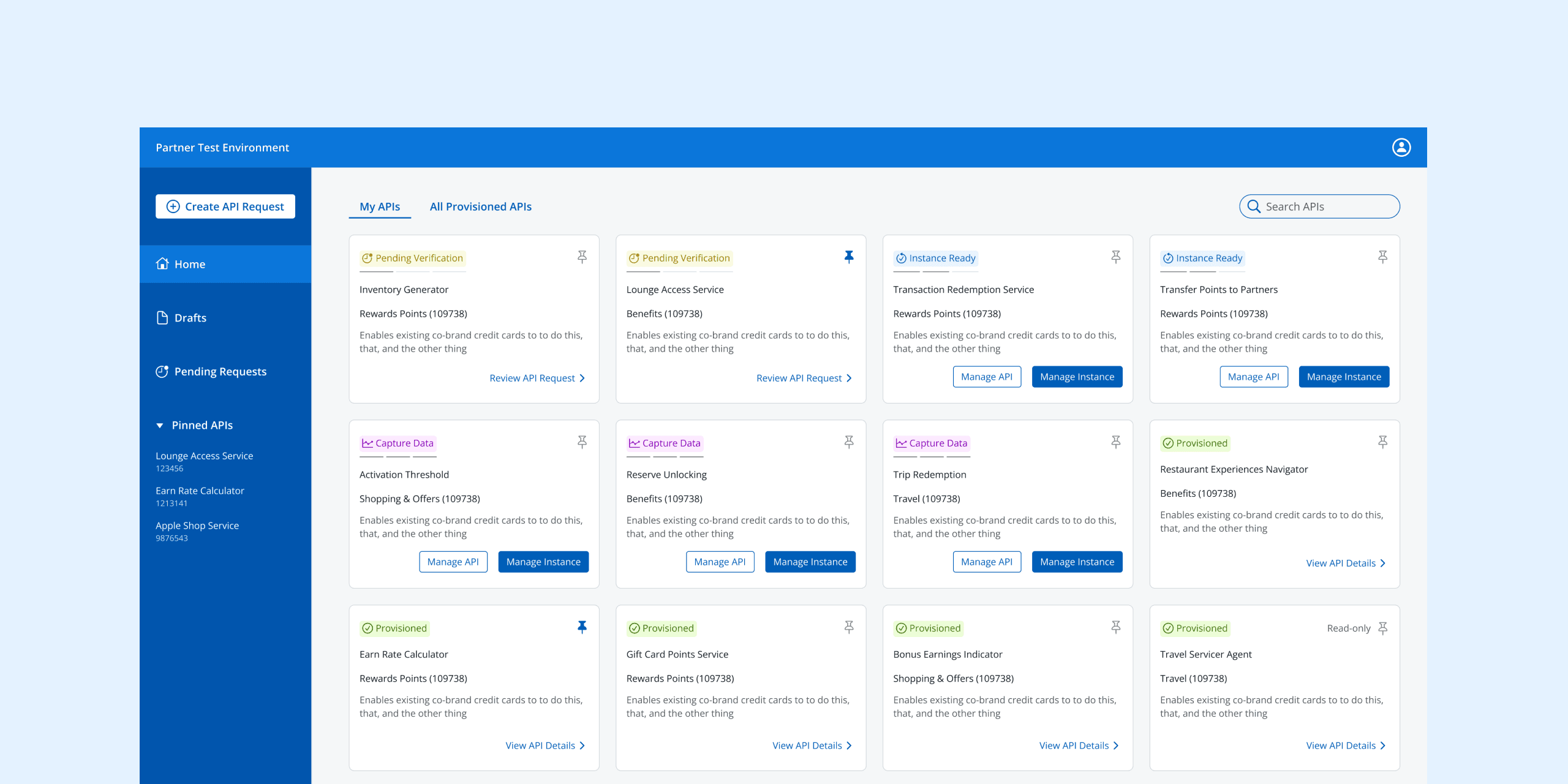
Our goal was to redesign a pre-existing flow allowing engineers to quickly submit API requests and capture data from approved APIs without building from scratch.
Problem
How can we redesign an existing clunky dashboard and API request process to save engineers time and decrease errors?
Outcome
We decreased the time to complete an API request by 30% and decreased error rate by 40%. Users also reported a high level of confidence in our dashboard redesign.
Role
Product designer
Timeline
3 months
Team
1 senior designer, 1 PM, 5 developers
CONTEXT
The current dashboard and forms were confusing
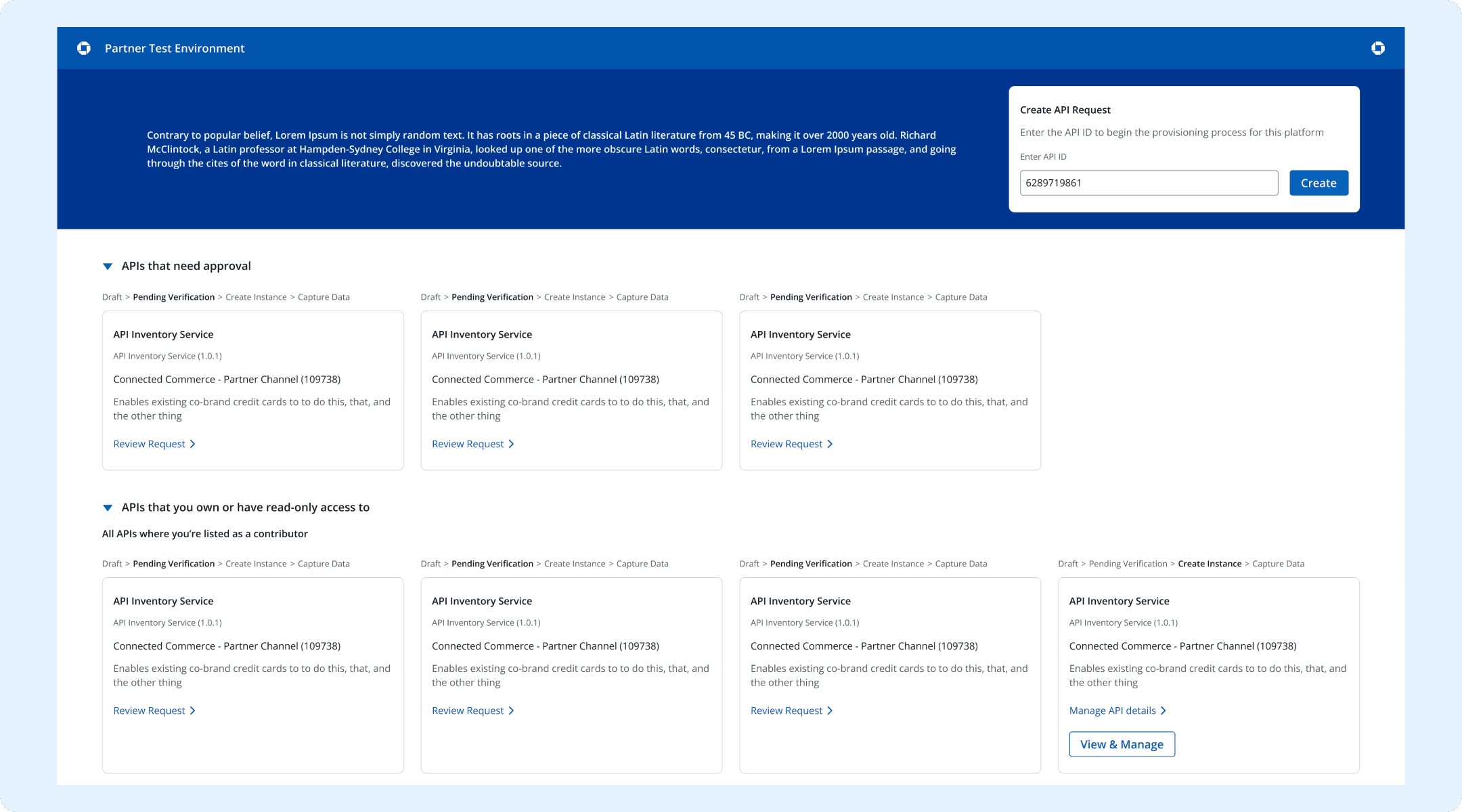
The dashboard made things hard to find
The dashboard had dropdowns based on status and access-level that diminished overall searchability.


The API request form was cluttered with unnecessary details
We found that engineers where overwhelmed with needless friction points like adding collaborators on the form that increased task time.
The manage instances screen buried key information
This flow overcomplicated the process by introducing large blocks of text to compensate for a bad user experience.
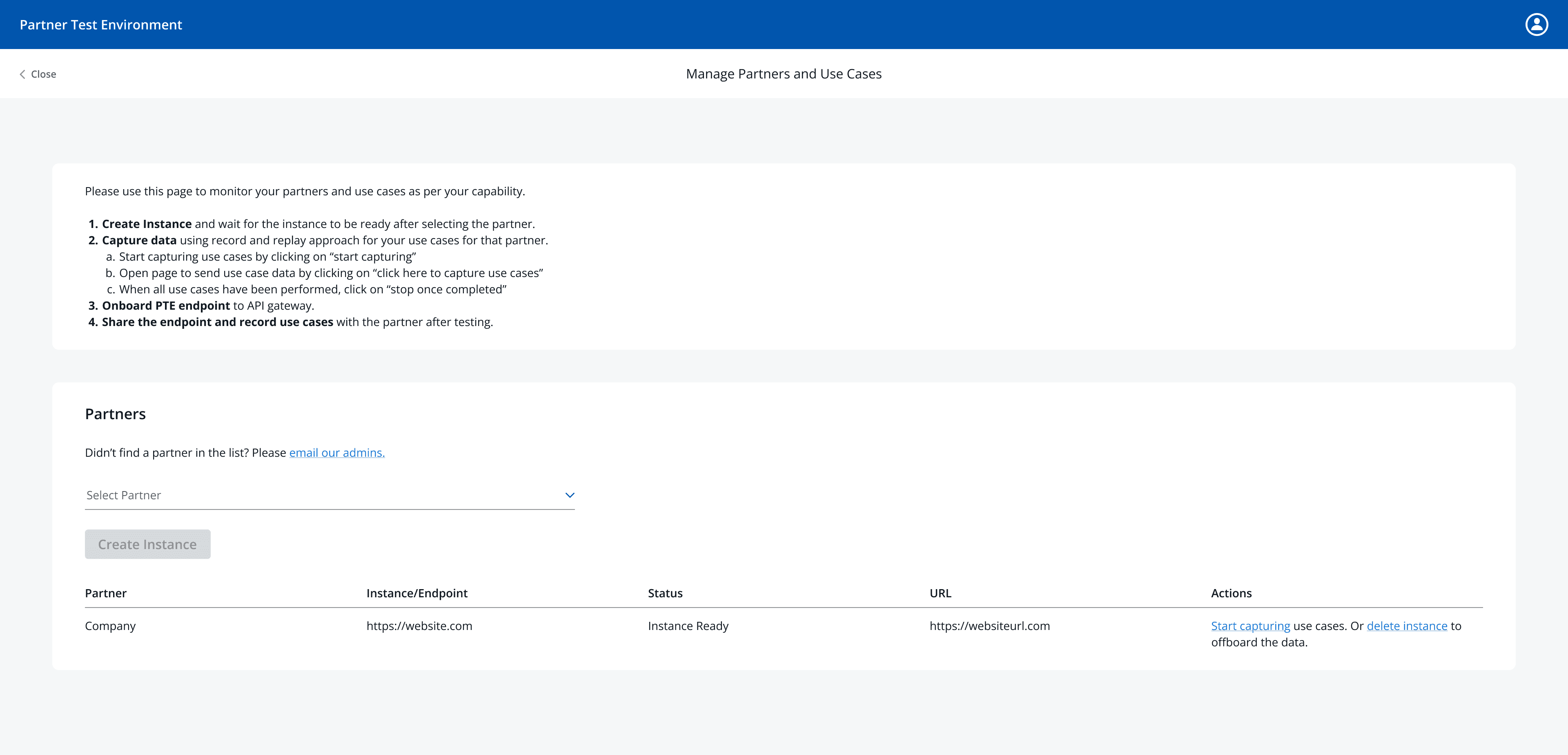
UNDERSTANDING THE SPACE
When I jumped on, the stakeholders and process were murky
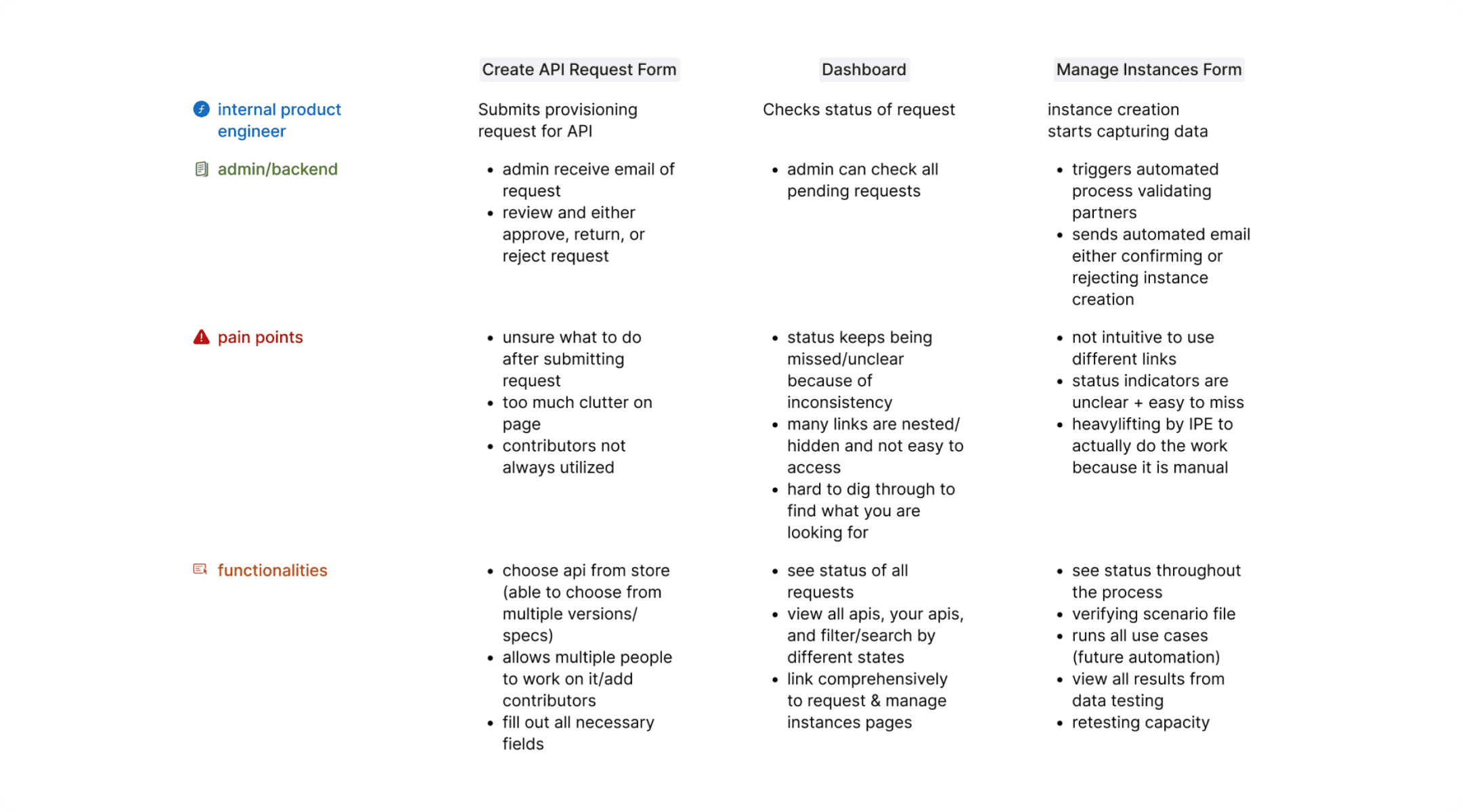
My first goal was to make the entire flow, and user pain points, transparent
To make this space less opaque, I worked with PMs and engineers (our end users and the ones that would build this system!) to understand what the necessary functionalities of each page were.
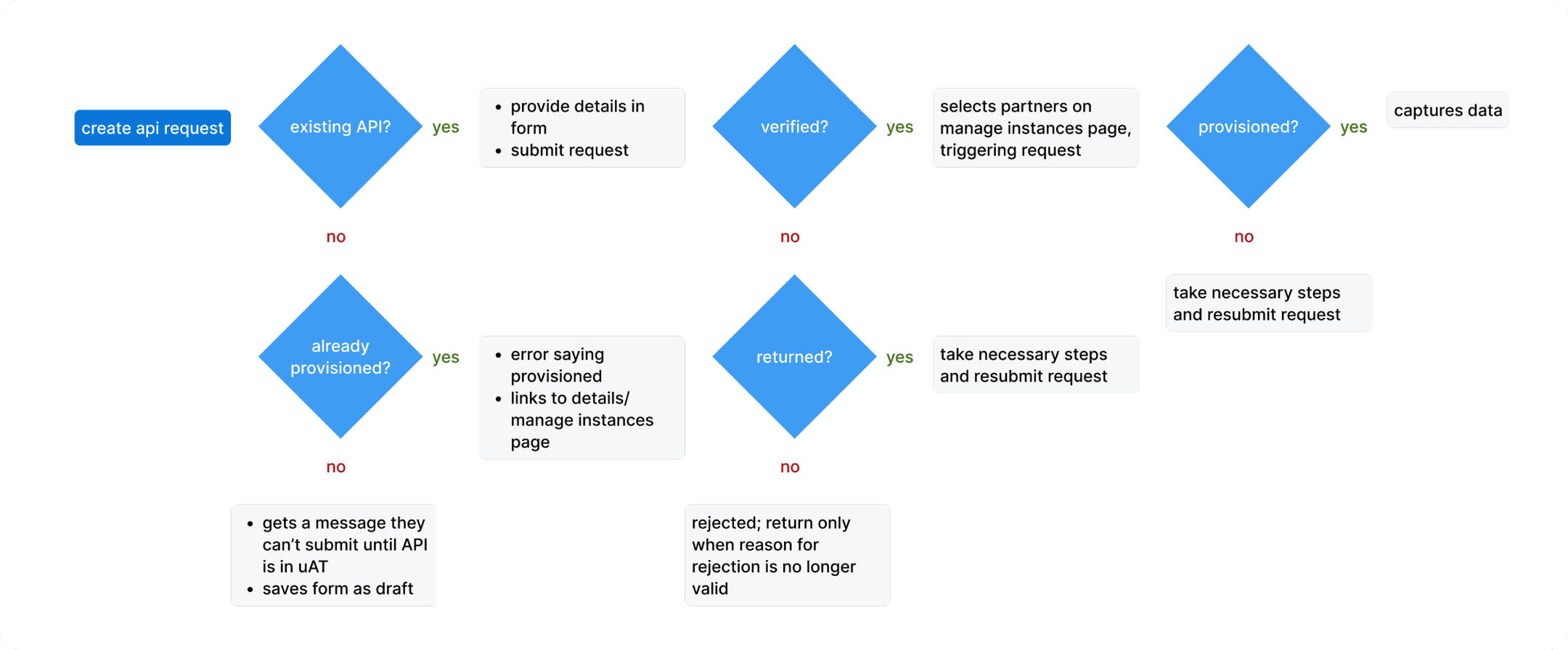
We had a few major constraints
The 2 month timeline meant we needed to focus on the biggest problems
Custom-built components had to be minimized because of project scope
DESIGN PROCESS: DASHBOARD
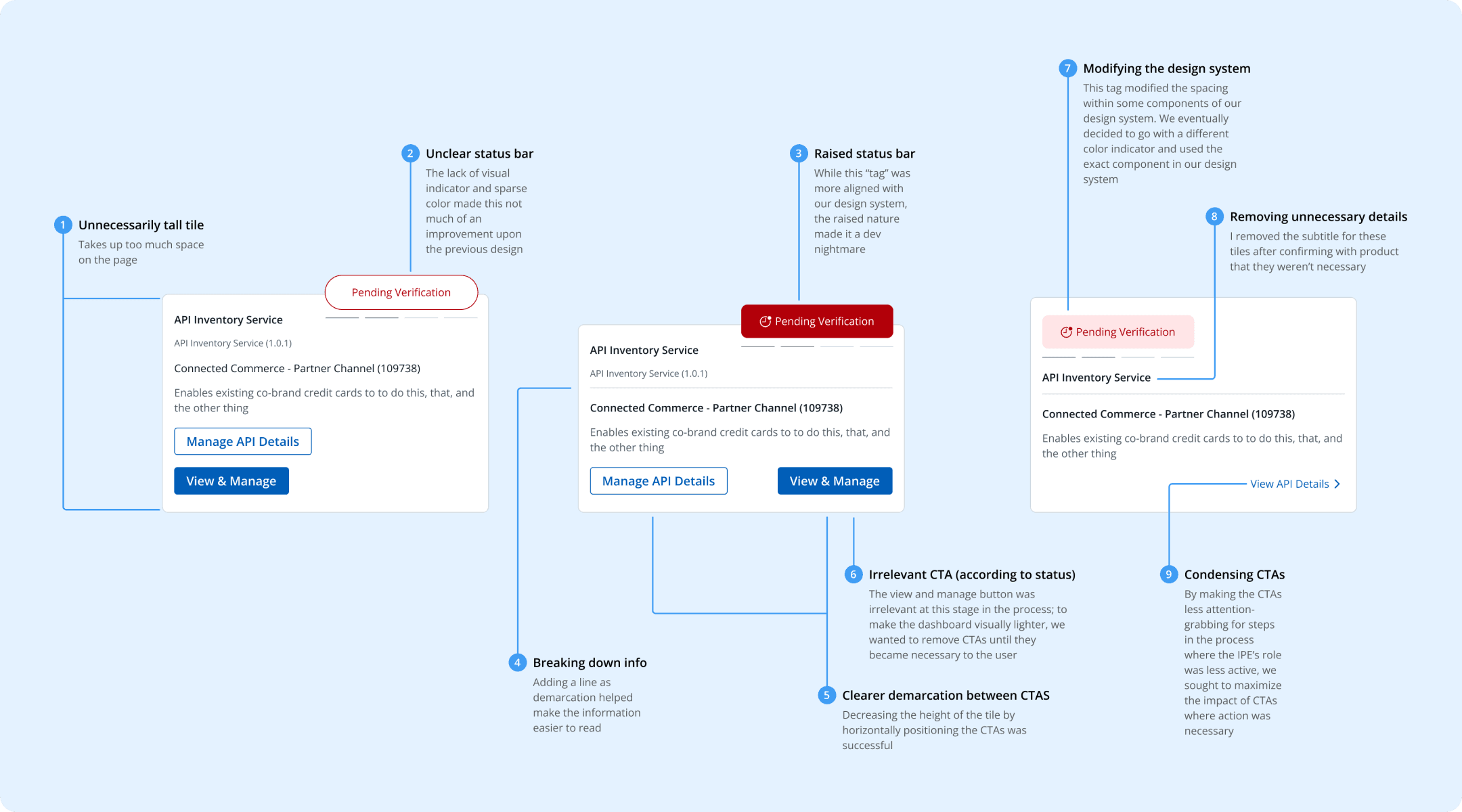
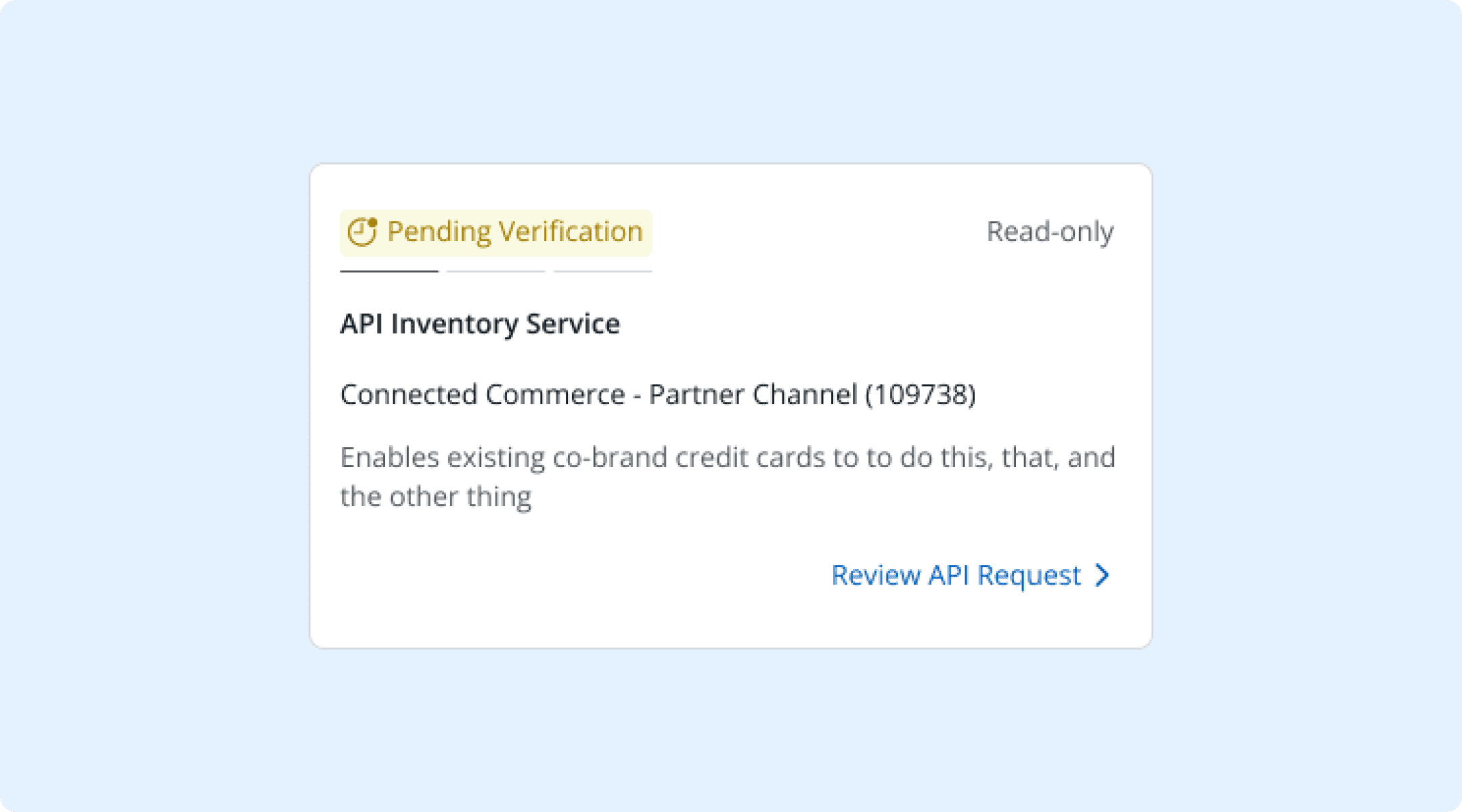
I optimized tile design within the dashboard
As a central hub, the dashboard was the cornerstone of our redesign
My strategy involved focusing on the high-level structure of the dashboard before dialing in on the details of each tile. I knew a search/filter functionality according to status and access would be imperative from previous research.
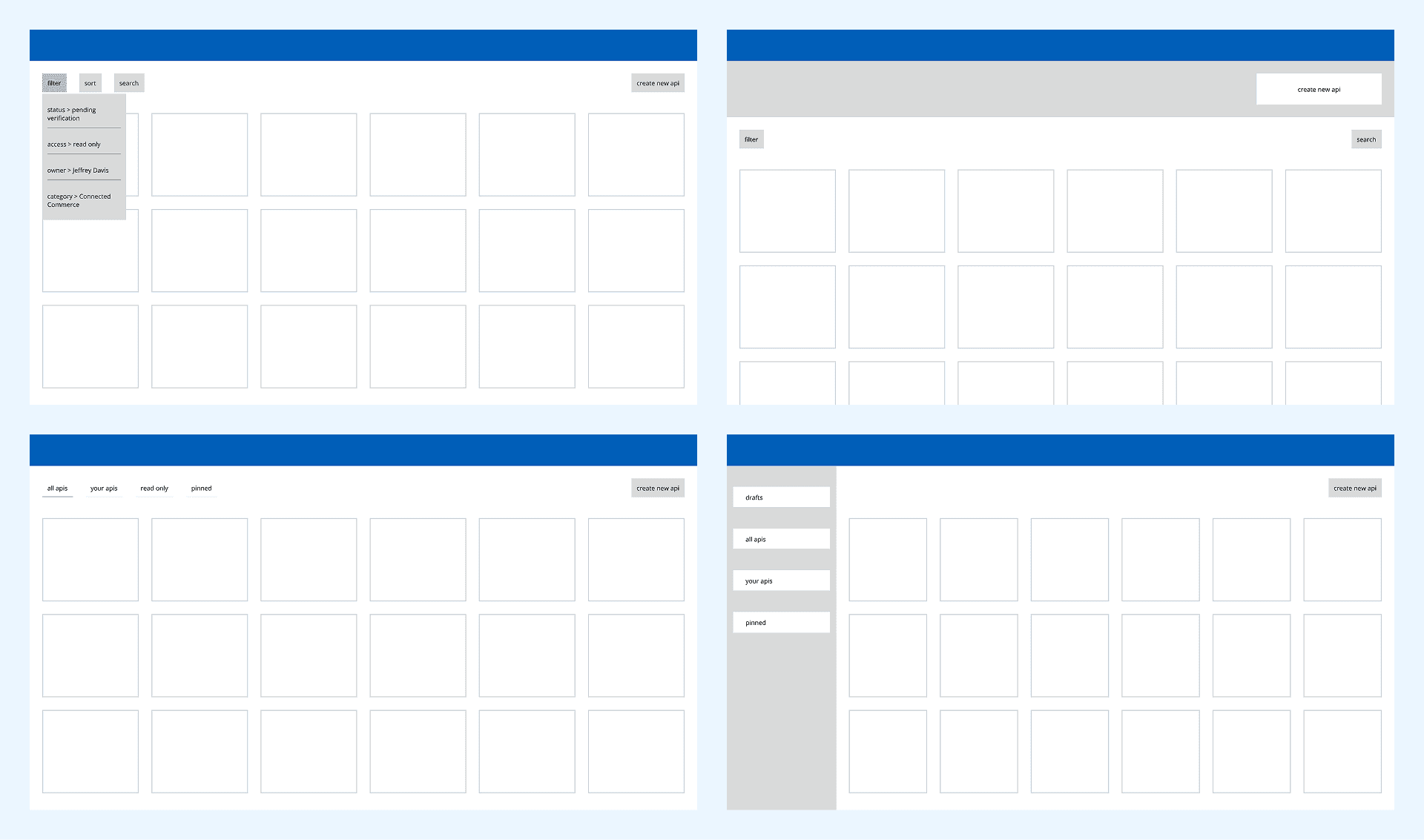
Initial research insights informed my dashboard tile designs
Status was the most important thing our IPEs (end users) searched for
Appropriate actions or CTAs varied based on status
Prioritizing information helped minimize the current text overload
DESIGN PROCESS: API FLOW
I moved unnecessary details out of the way for the API flow
Peripheral fields (like contributor info) needed to be moved out of the way
User interviews showed this step wasted the most time and frustrated them
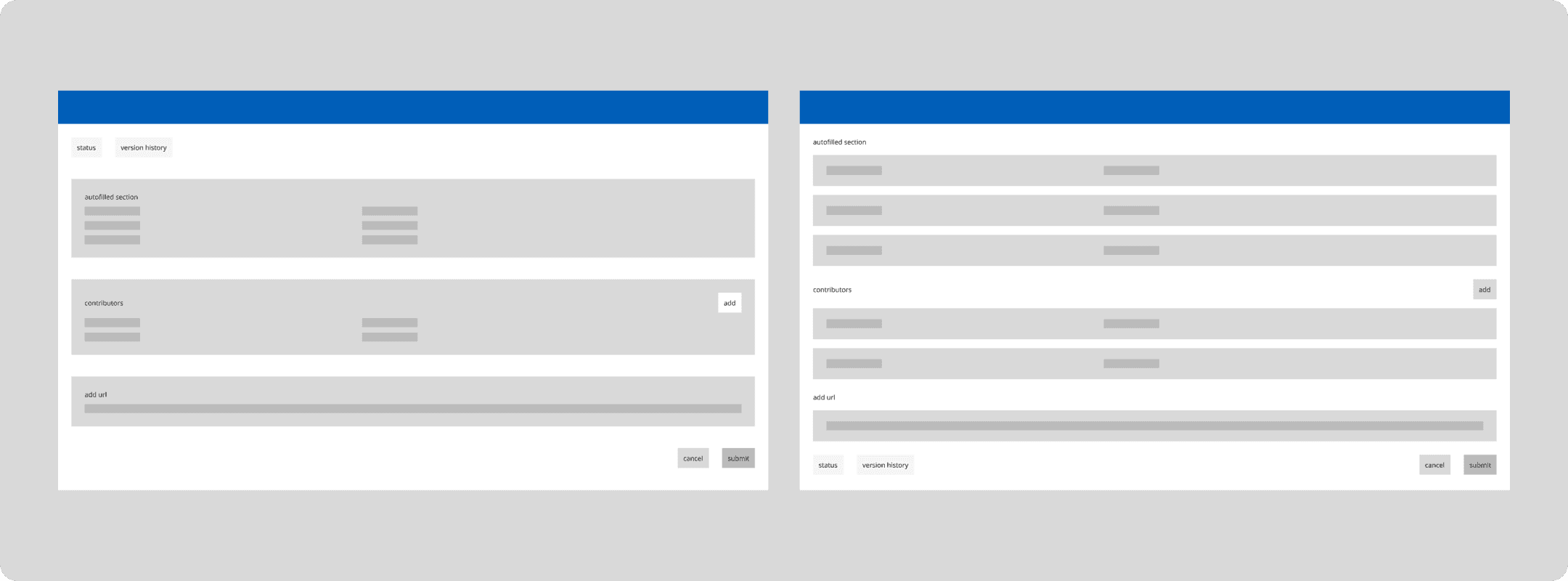
Iterations were built on a few main principles
I considered a slide in panel or tabbed design to nest contributor info
Contributors (form collaborators) should be easier to find and add
Google docs’ design was my north star in deciding how to split different fields
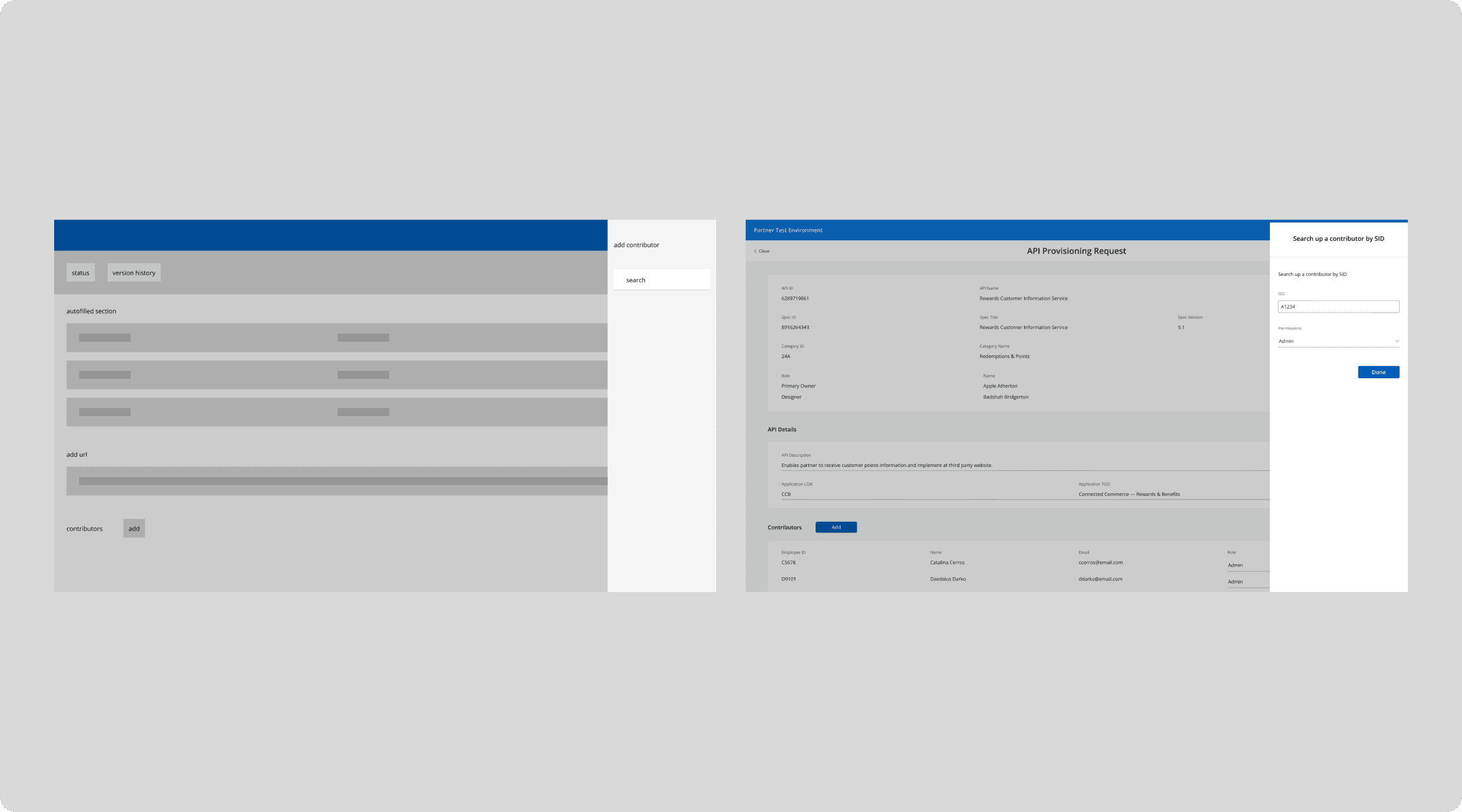
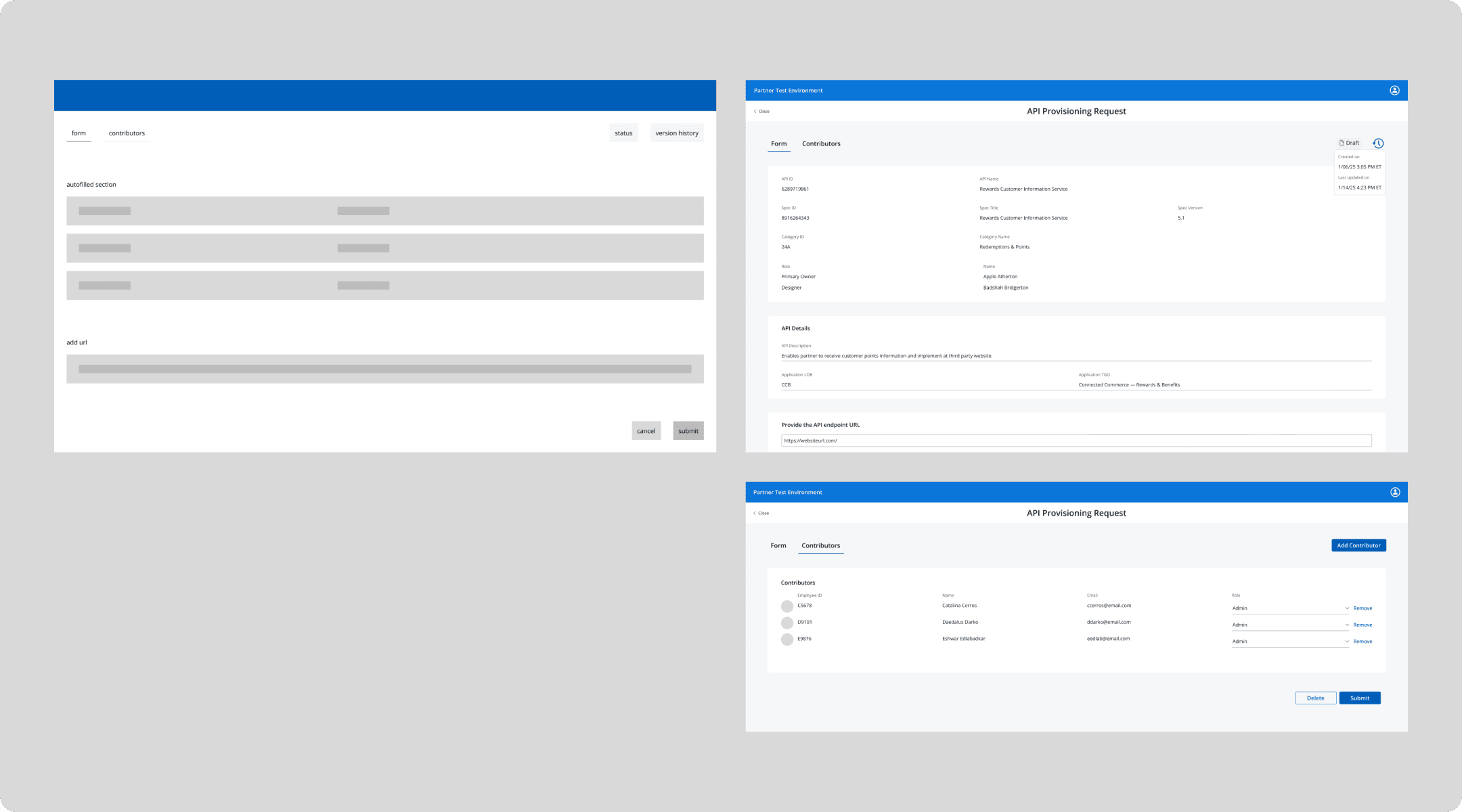
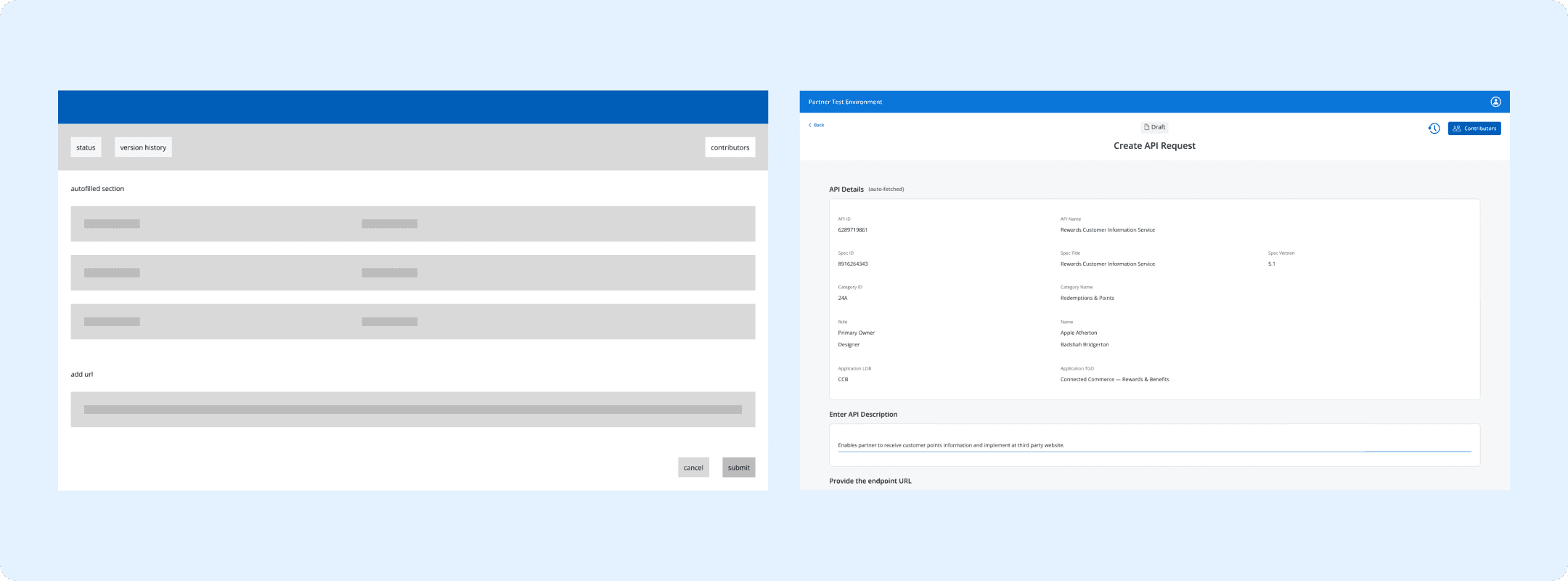
early wireframes for the api flow
Contributors and version history were cleared away
By highlighting status in the header, and including contributors as separate, the difference between filling out the form and sharing it became clearer.
SOLUTION
API Dashboard & Tools
Central Hub
I brought together many tools into a unified dashboard
Searchability
Pinning most used APIs

IMPACT & REFLECTIONS
The new system reduced task time by 30%
Input errors were reduced by 40% and reported partner satisfaction increased by 25%
Following the implementation of these new tools, tests showed that we had improved the overall user experience for our IPEs (some of whom built the product!).
I overcame a lot of challenges along the way
I was brought in late, so developers were starting to build. That’s why stakeholder mapping and moving quickly became so important.
As our developers were also the end-users, they often jumped straight to ideation. Using research and bringing them in during ideation helped them take a step back.