USC MOBILE ORDER
2023
Cutting meal order time in half for busy college students with a mobile app redesign
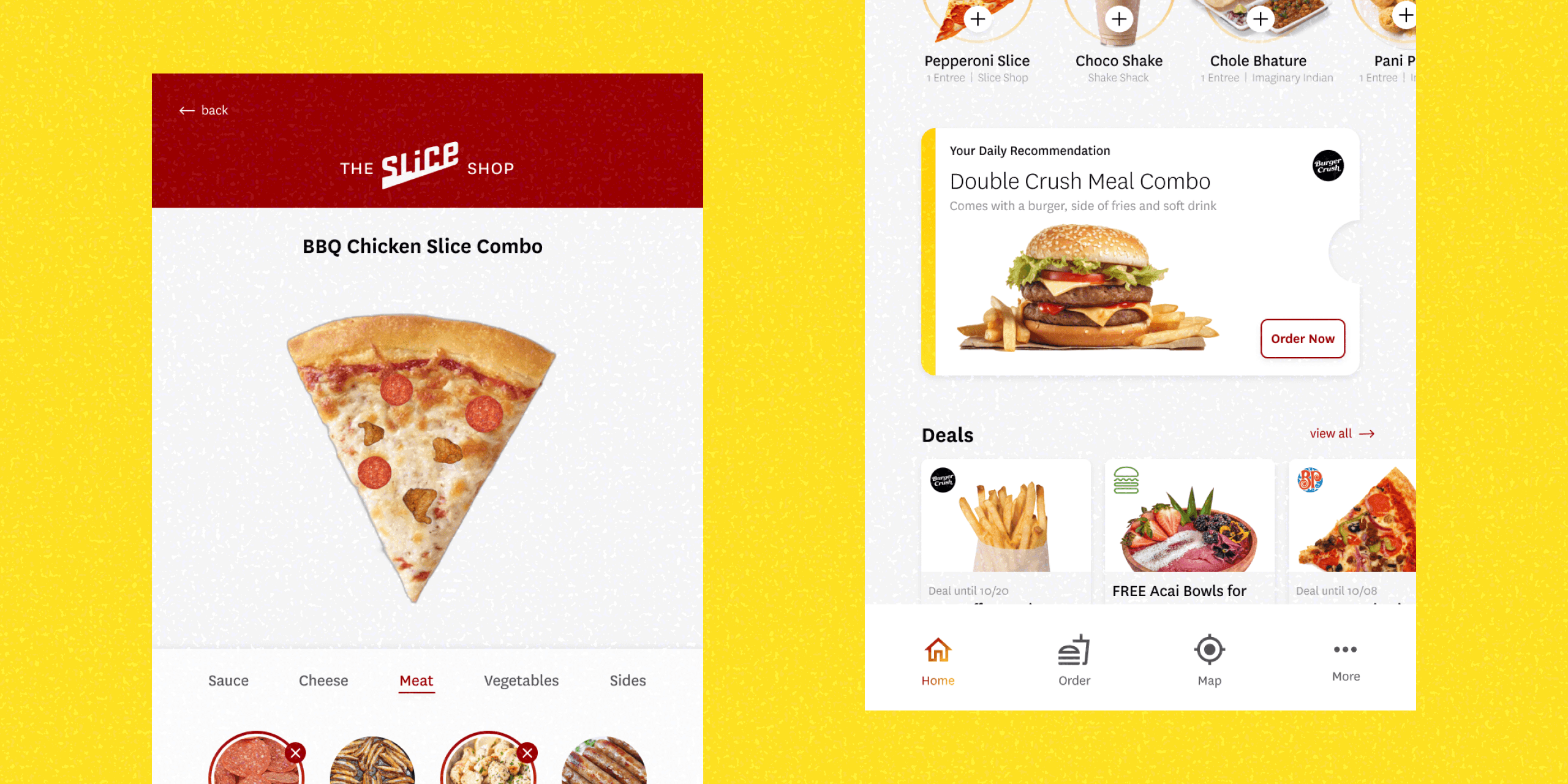
I undertook this personal side project as a way to cut through the common problems I observed with our college ordering app for campus eateries.
Problem
How can we reimagine the mobile food ordering process to be tailored to college students’ experience and habits?
Outcome
User testing revealed order time was halved and error rate decreased by 10% following the redesign.
Role
Product designer
Timeline
3 weeks
CONTEXT
The campus ordering app was inaccessible and hard to use
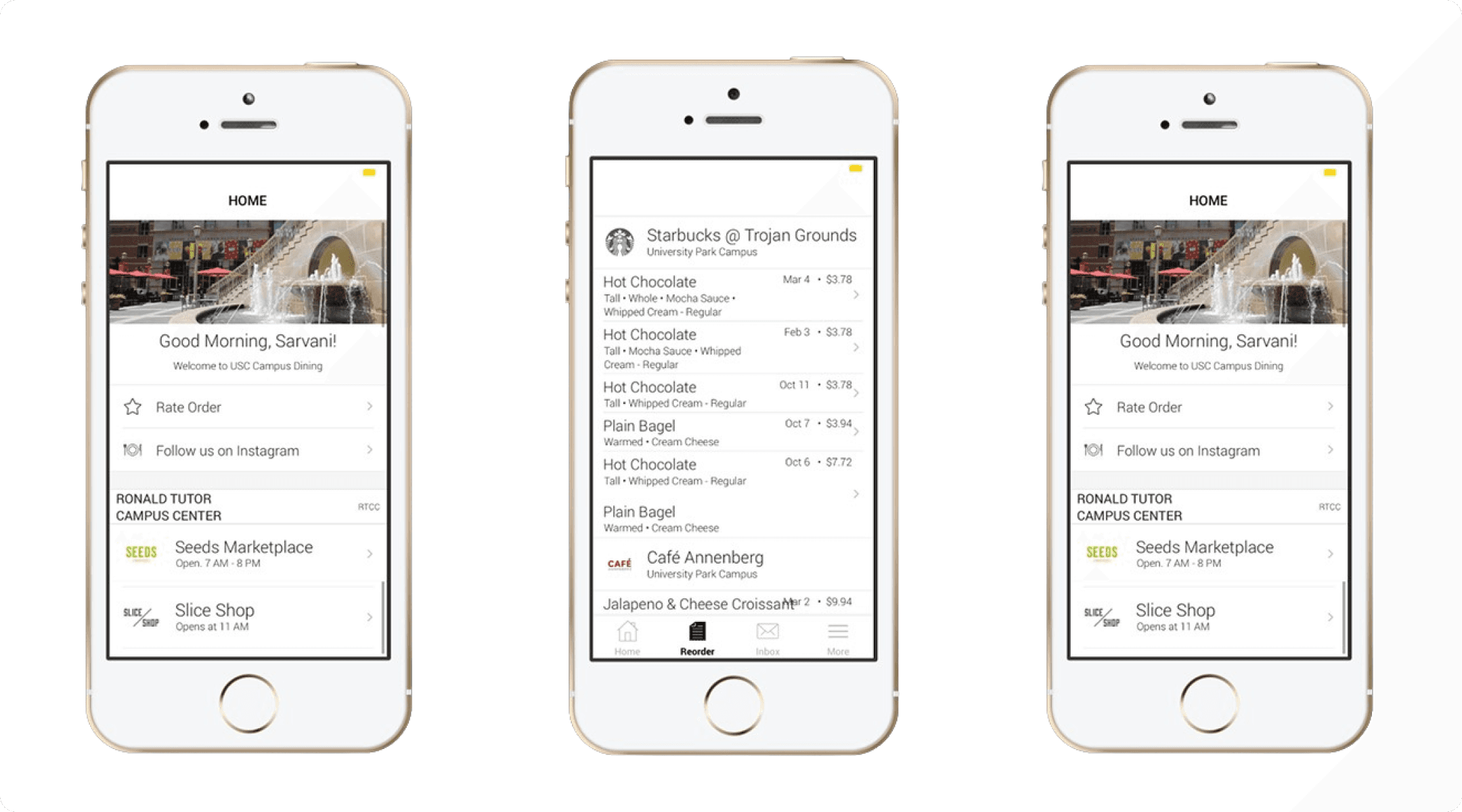
FIG 1.1
THE EXISTING APP INTERFACE

There are a lot of [POS] systems that we cycle through, but they're all complicated and our staff must constantly be trained to use them.
HANGRY STUDENT INTERVIEWEE
We ran into the same wall trying to set up payments for cannabis-related sales - PayPal, Stripe, Square all shut us down pretty quick.
DISGRUNTLED COLLEGE SENIOR
UNDERSTANDING THE SPACE
Students abandoned the app while ordering 20% of the time
I asked student interviewees questions to understand their experience
Describe your process of ordering food in the app, from choice to pickup.
What factors affect what you choose to order?
Which of the features available have you use most frequently? Which the least?
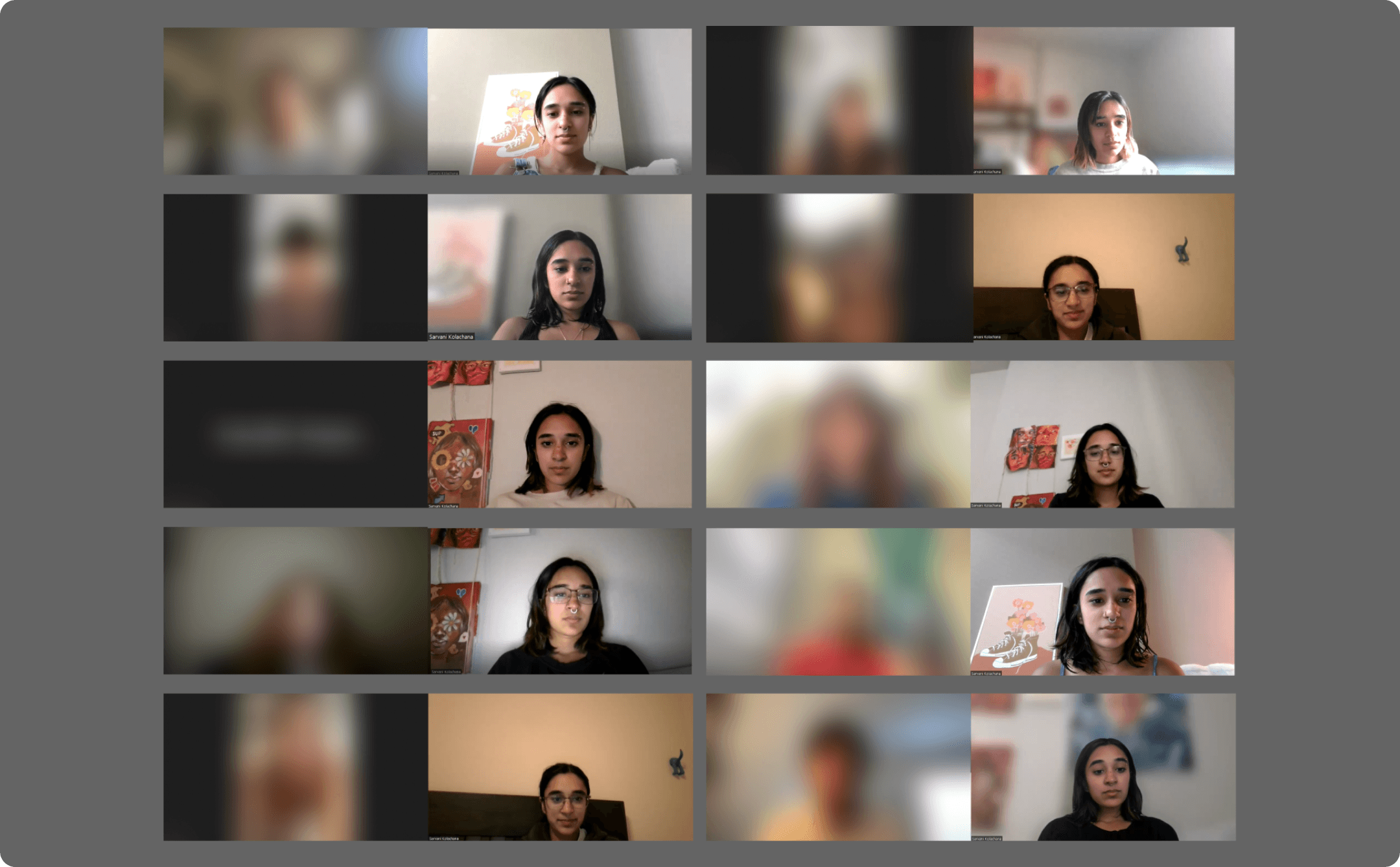
FIG 2.1
MY INTERVIEWS WERE CRITICAL IN GETTING AT THE MAIN PAIN POINTS
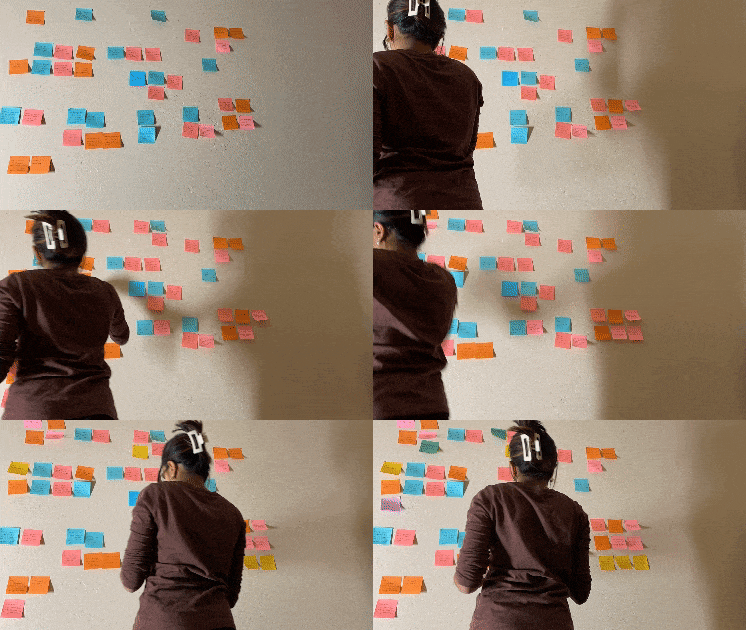
Through affinity mapping, I took away some key insights
I found that students were different than the usual demographic of ordering apps for a few reasons.
Students tended to have a meal that they kept coming back to.
The pickup notifications were unclear, inaccurate, or delayed.
What type of meals students had access to decided ordering behavior.
It was hard to order from and find nearby eateries from the app.
PLANNING
I wanted the app to serve students while being realistic to build
I mapped my ideas on a feasibility/impact graph before planning out the main flows
Feasibility mapping allowed me to quickly filter out ideas that were either not realistic to build or would have negligible impact on the main pain points.
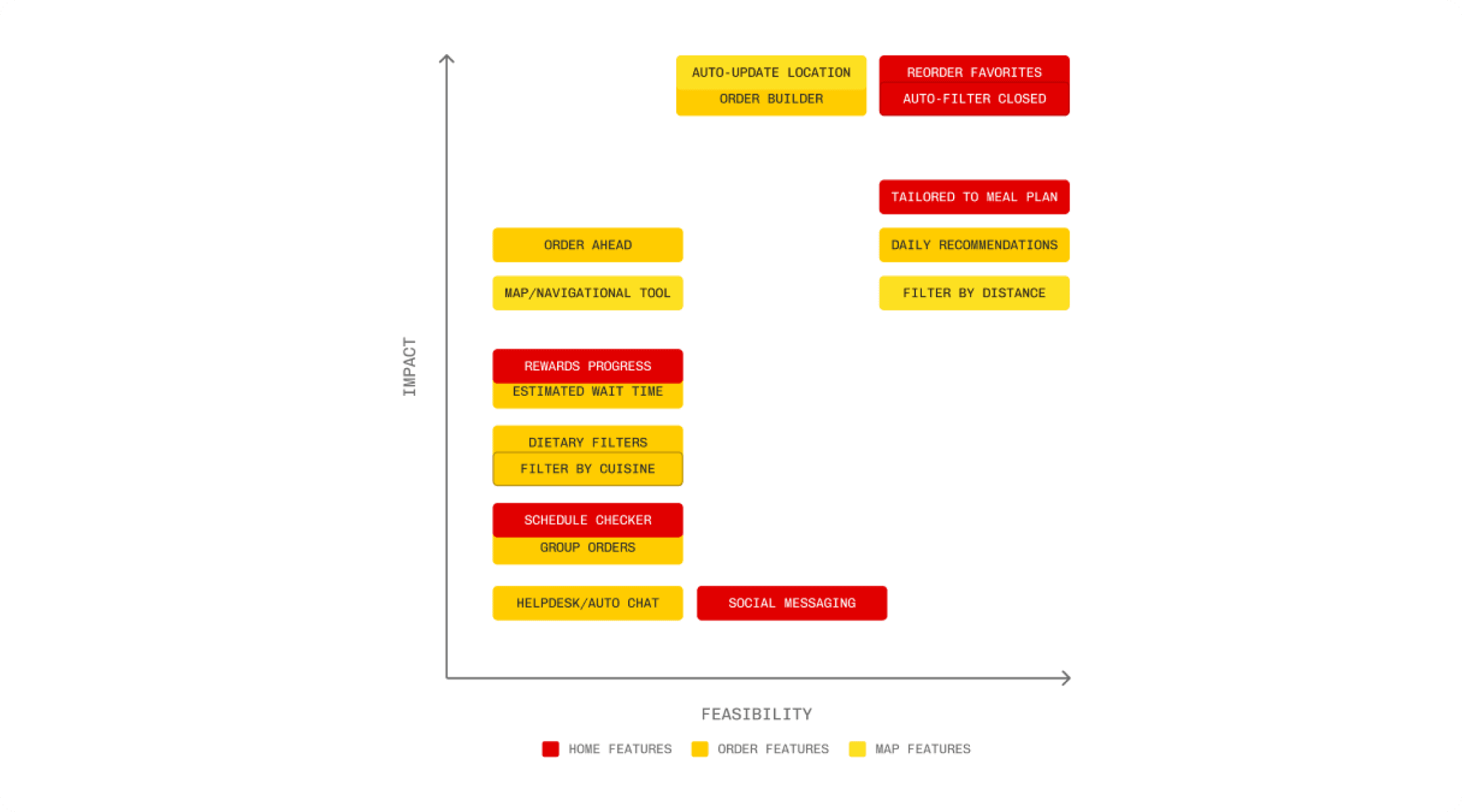
FIG 3.1
FEASIBILITY MAPPING TO PRIORITIZE FEATURES
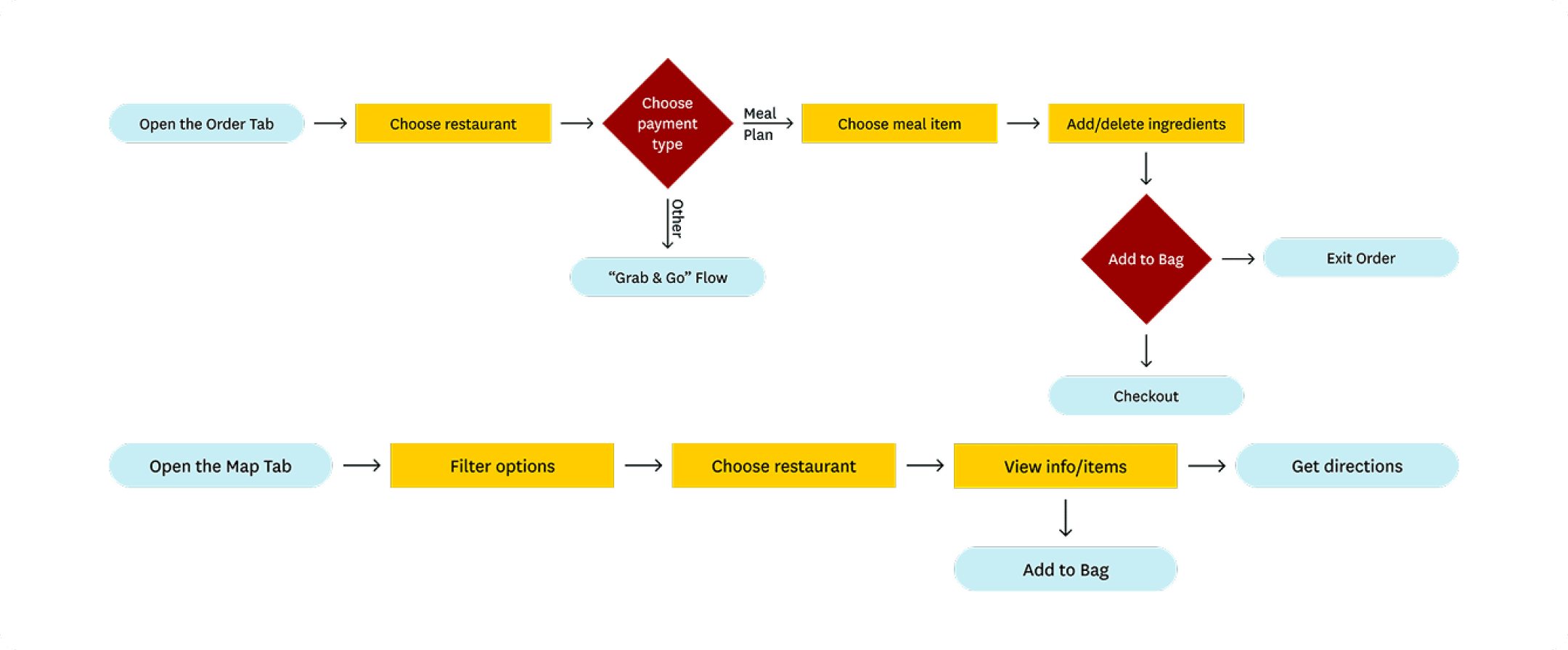
FIG 3.2
FLOW DIAGRAM
DESIGN PROCESS
Balancing visual identity and modernization
I tried to preserve features that worked and overhaul those that didn’t
I had previously designed digital assets for the college and used my knowledge of their brand identity in the redesign.
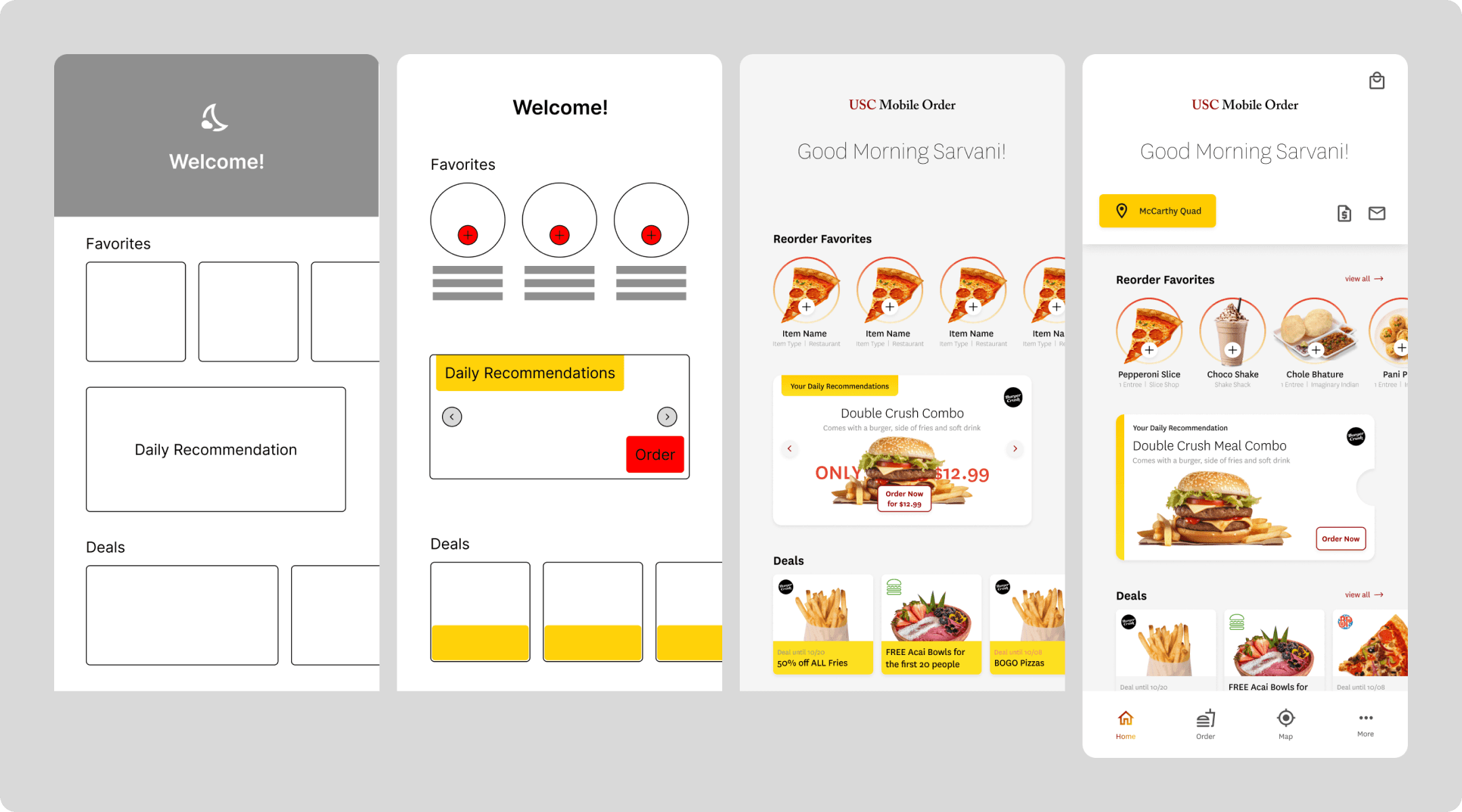
FIG 4.1
HOMEPAGE DESIGN ITERATIONS
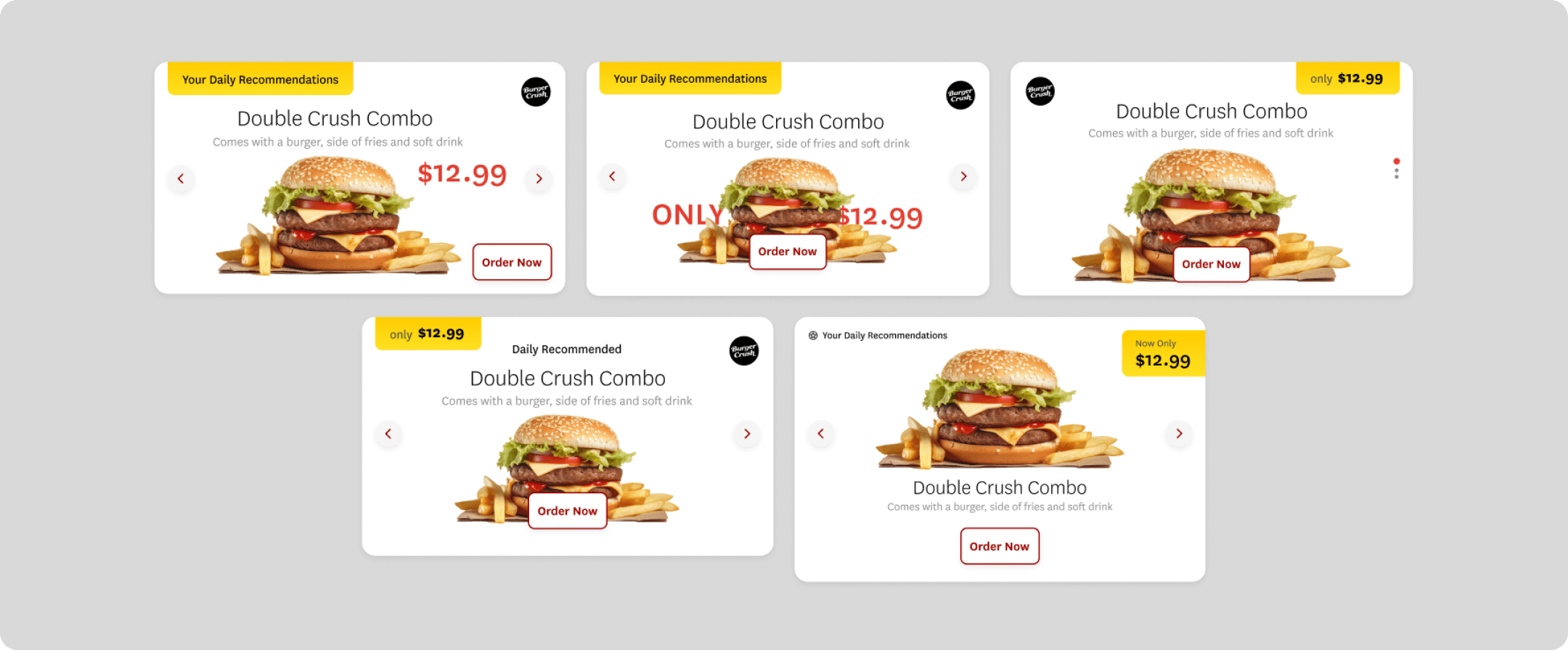
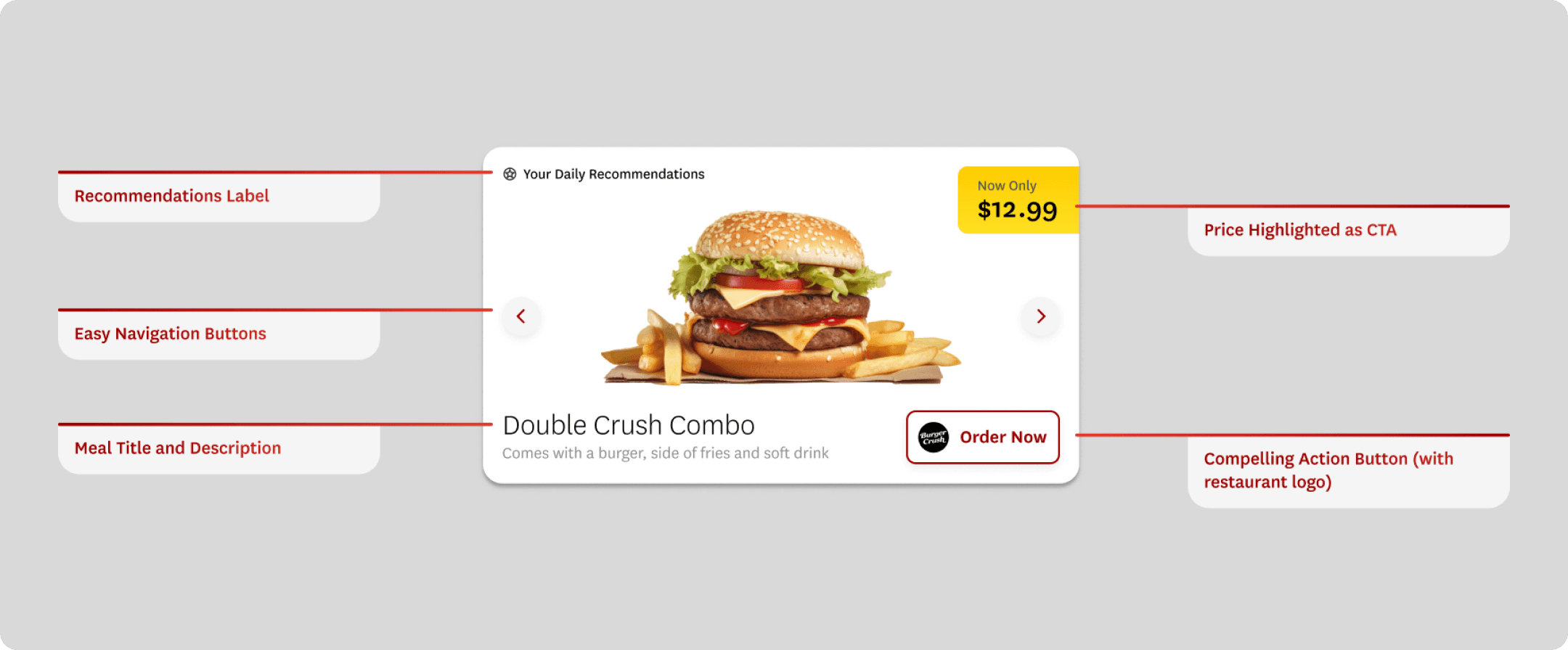
FIG 4.2
ITERATING ON THE DESIGN OF THE HOMEPAGE TILE (SWIPE TO SEE FINAL)
SOLUTION


FIG 4.2
SWIPE TO EXPLORE THE DIFFERENT TABS
Intuitive Ordering
This imaginative future state would allow students to envision exactly what their order would look like, before they lock it in.

Tailored to Students
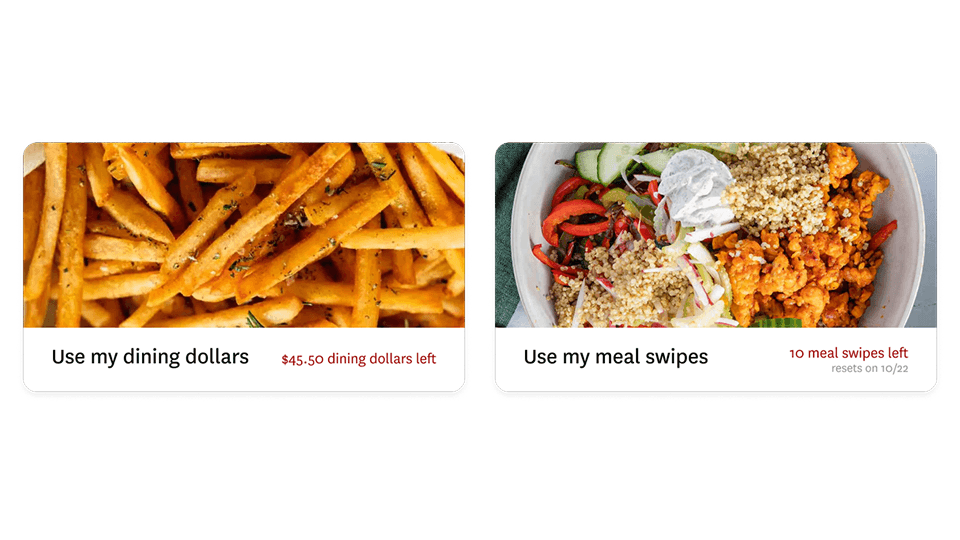
Students choose ahead of time what payment method they prefer, matching the way interviewees described thinking about the order process.
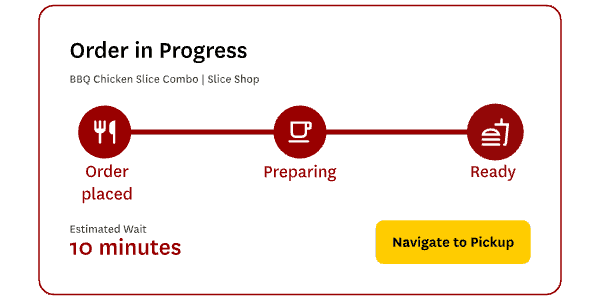
Stay Notified
Students are now able to see exactly how long it will take to get their order with numerous cues, demystifying the process.
IMPACT & REFLECTIONS
The new app halved order time
Error rate was also reduced by 10% according to user tests
My usability tests involved asking users to complete tasks like ordering a particular item, or trying to reorder their most commonly eaten meal.
Speed
Since this was a sprint, I had to be willing to deprioritize features and think creatively within constraints to build quickly.
Empathy & Research
I put myself in the user's shoes: what was their daily set of anxieties, lifestyle, ecosystem of food ordering apps?
Spatially Aware
I had to understand the physical aspect of the process by understanding how the app functioned in context.